Make an Impact Join the Global Voices Program: Translate Digital Marketing Terms ๐Ÿ‡ซ๐Ÿ‡ฎ ๐Ÿ‡ต๐Ÿ‡ฑ ๐Ÿ‡ฎ๐Ÿ‡น ๐Ÿ‡ฎ๐Ÿ‡ณ ๐Ÿ‡ฐ๐Ÿ‡ฟ ๐Ÿ‡จ๐Ÿ‡ณ and Unlock Simbound Access for FREE
Troubleshooting & Support Updated 2026-07-03

Why can't I Submit New Decisions?

With decision-making scheduled to begin at a later time you will need to wait before entering new simulation decisions. Learn why this happens and how to get ready for when it opens.

"Decision-making is disabled" โ€” what it means

Instructors can prevent participants from adding or modifying existing decisions during a simulation round. The instructor can have this in place for one or several rounds and as a participant you will see how much time is left until the round's Decisions Open up again.
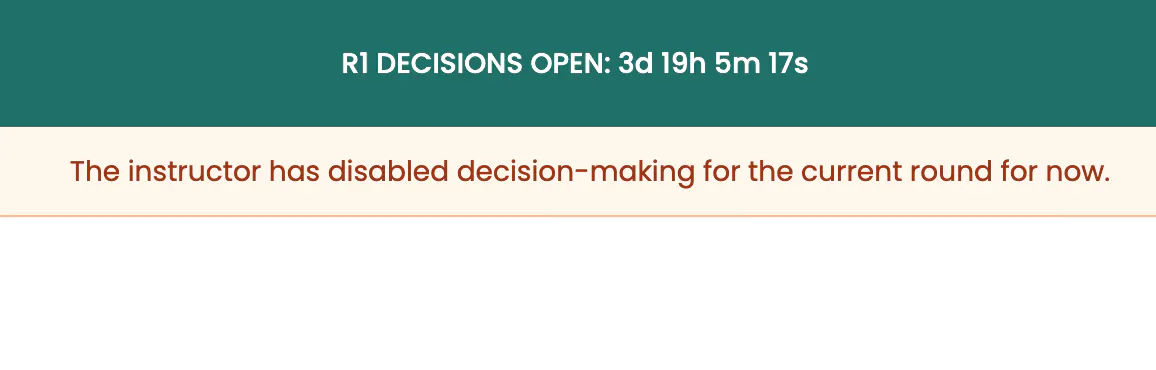
R1 Decisions Open countdown and warning message

If you recently joined a new round but canโ€™t edit or submit decisions, it likely means that submissions for that round havenโ€™t opened yet.

What can you do until decision-making opens?

As the round is already live you can explore sections, read guides, see your existing or past decisions or download your past results freely. You can also add new plans or tasks in the Planner section. To see exactly when decision-making opens for each round:

  1. 1

    Open the Planner page

    Go to Planner in your menu/dashboard.

  2. 2

    Click the Round Number symbol

    This can be an active or a future round.

  3. 3

    Look for the Decision Open Date

    The Decisions Open date shown there is the moment decision-making is allowed for that round.

For instructors

A few things worth knowing if you are running the course.

The Round Management section of the Calendar is where you can manage the Decisions Launch Date

  1. 1

    You can optionally set one Decisions Launch Date to each Round

    In the Course Schedule, each round has its own Decisions Launch Date, which controls when decision-making opens for your participants. This can be added, changed or removed at any time.

  2. 2

    Logged in as a participant, you can still make decisions!

    Even when decision-making is disabled for the entire course, an instructor impersonating a student account can still submit decisions โ€” useful for testing or demonstrating a round before it opens to students.

  3. 3

    You can unblock decisions for a single participant at a time

    From the 'Participants' page if you click the Settings symbol found next to each name and then on the 'Participants Info' choice you will see their e-mail and also a checkbox to enable decision-making for that participant alone.

Frequently asked questions

Why can I enter the round but not make any decisions?

The round is already launched, so you can explore it โ€” but decision-making only opens later as decided by your course instructor.

How do do I find the Date when Decisions Open?

On the Planner page: click the current Round symbol and look for the Decisions Open Date.

Can I still access my past results?

Yes, results are accessible even with Decision-making blocked. You can browse and download reports at any time throughout the course.